Ground Truth
Ground truth documents provide factual reference material that improves the accuracy of hallucination detection. When a ground truth is selected for an analysis, the LLM uses it to verify assistant claims against known-correct information.
What Is Ground Truth?
A ground truth document contains verified, factual information about a specific domain. For example:
- A telecom company's actual plan details, phone numbers, and policies
- A product's real specifications and features
- An organization's official FAQ answers
When Oversight analyzes a conversation with ground truth selected, the LLM can compare assistant claims against the reference material. This is especially effective for detecting:
- Fabricated citations — The assistant references a phone number or policy that doesn't exist in the ground truth
- Hardcoded facts — The assistant states a price or date that contradicts the ground truth
Built-In Ground Truth
Oversight comes with one built-in ground truth document:
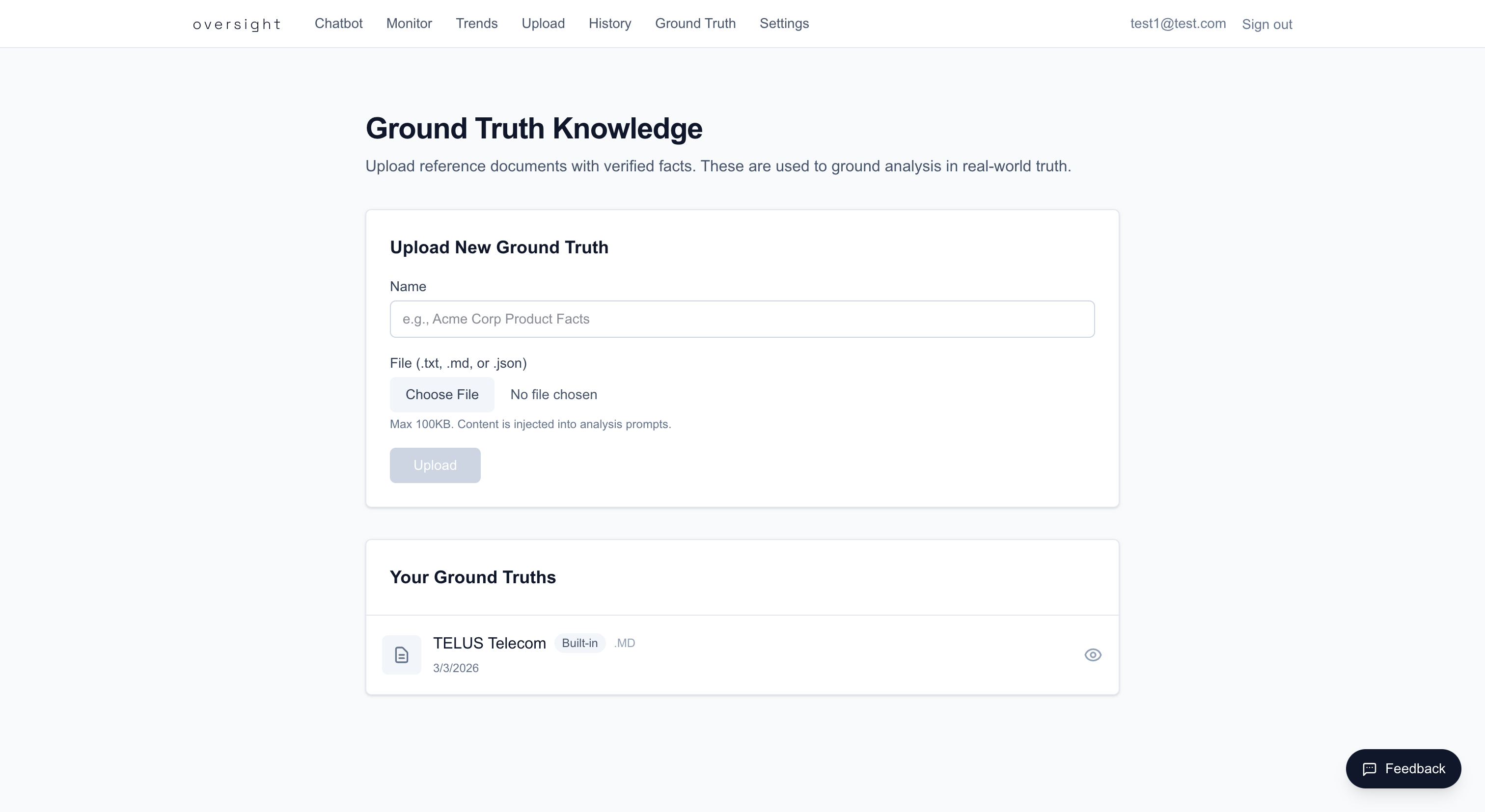
- TELUS Telecom — Contains verified facts about TELUS telecommunications services, plan details, contact numbers, and policies. This is seeded automatically the first time you access the Ground Truth page.
The built-in ground truth is read-only and available to all users. It pairs with the sample TELUS conversation files included in the repository.
Uploading Custom Ground Truth
- Navigate to
/ground-truth - Enter a name for your ground truth document
- Click Choose File and select a document
- Click Upload
Supported Formats
| Format | Extension | Max Size |
|---|---|---|
| Plain text | .txt | 100 KB |
| Markdown | .md | 100 KB |
| JSON | .json | 100 KB |
Tips for Writing Ground Truth Documents
- Include specific facts: phone numbers, prices, dates, policy details
- Organize by topic for clarity (the LLM reads the entire document)
- Be precise — vague statements don't help the model verify claims
- Update your ground truth when policies or facts change
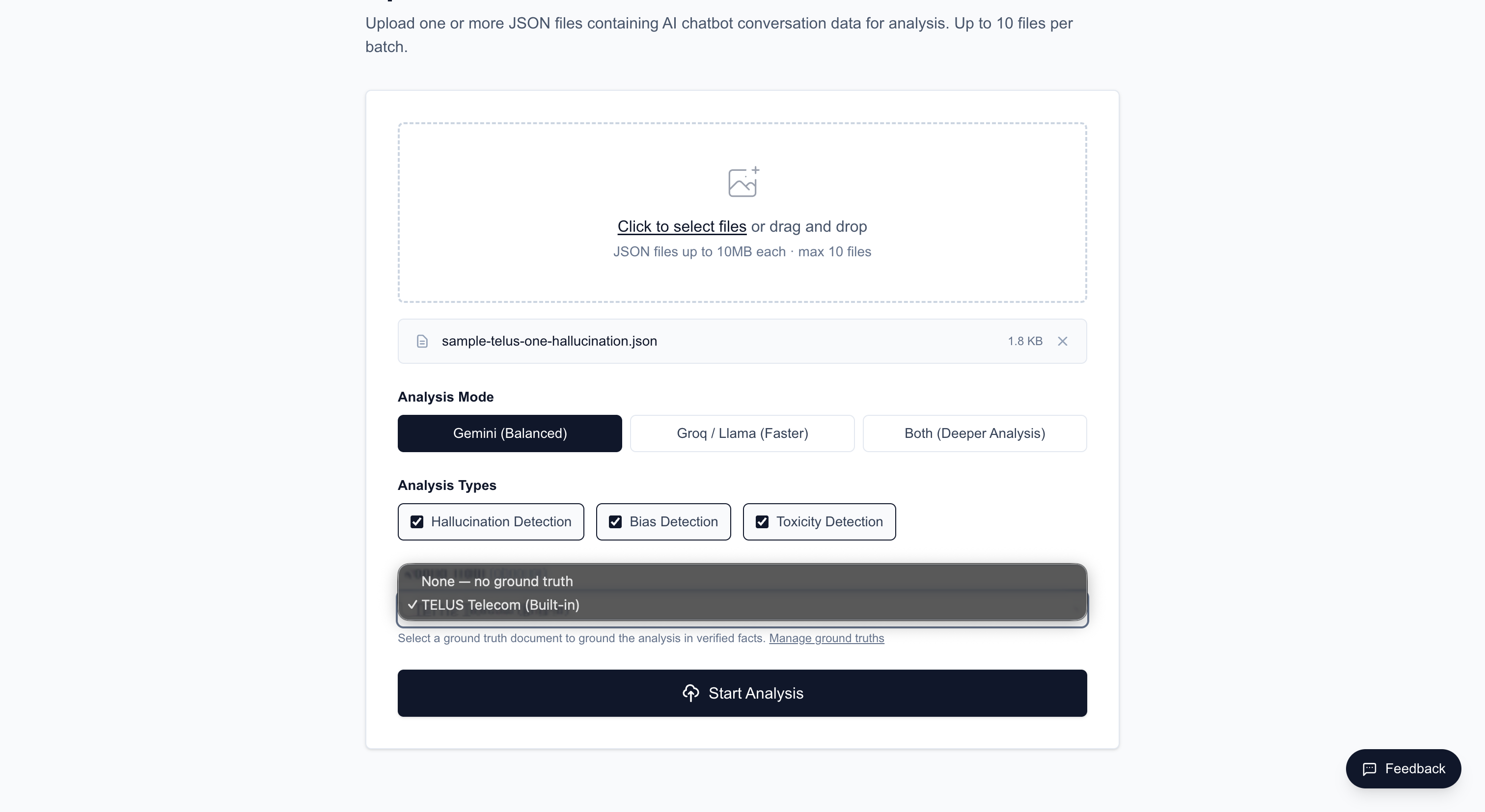
Using Ground Truth During Upload
- Go to
/upload - After selecting your conversation file, find the Ground Truth dropdown
- Select a ground truth document from the list (includes built-in + your custom documents)
- Proceed with the upload — the selected ground truth is sent to the LLM alongside the conversation
Managing Ground Truth
On the /ground-truth page you can:
- View — Click a ground truth document to see its full content in a modal
- Download — Download the document file
- Delete — Remove your custom ground truth documents (built-in documents cannot be deleted)